Print Design
How to Design a Poster People Notice and Read
A step-by-step guide to poster design: hierarchy, text sizes for viewing distance, type, colour, QR codes and print-ready files.
Published 17 October 2026Updated 23 October 20267 min read
Start with the one thing it has to do
Before you open any software, finish this sentence: after seeing this poster, I want people to… book a table, buy a ticket, come in on Friday, scan for the menu. Every poster that works has one job, and everything on it either helps with that job or gets cut. Write the headline next. It should make the job obvious to someone who reads nothing else.
Work out how far away people will be
A poster is read from further away, and for less time, than almost anything else you print. Someone walking past gives it about three seconds. So size the text for where people will actually be standing, not for how it looks on your screen. A rule of thumb from the sign trade: allow about 25mm of capital-letter height for every 3m of viewing distance. The headline needs to work from the furthest point; the details only need to work for someone who has stopped in front of it.
| Viewing distance | Typical setting | Capital height | Font size, roughly |
|---|---|---|---|
| 1m | Noticeboard, standing in front of it | 8mm | 34pt |
| 2m | Corridor, queue or counter | 17mm | 67pt |
| 3m | Shop window from the pavement | 25mm | 100pt |
| 5m | Across a bar or function room | 42mm | 170pt |
| 10m | Across a hall or a street | 83mm | 340pt |
Build a three-level hierarchy
Give the poster three levels and no more. First, the headline or image that stops people. Second, the key details: what, when, where and how much. Third, everything else: the small print, logos and website. If two things compete for first place, make one of them clearly smaller. A quick test is to squint at it, or view it at 25% on screen: the first thing you can still read should be the headline, and the second should be the details.
Use one strong image
One large, confident image beats a collage of small ones. Choose a photo or illustration that shows the experience (the food, the band, the room full of people) rather than a generic stock picture. Keep text off busy parts of the image. If the headline has to sit over a photo, place it on a calm area such as sky or a plain wall, or put it on a solid panel, so it stays readable from a distance.
Pick type that survives distance
Use two typefaces at most: one for the headline and one for everything else, or one family in two weights. Bold and medium weights carry further than light ones, and thin scripts and decorative fonts fall apart from across a room. Keep headlines short, ideally under eight words, and avoid setting long lines of text in capitals, which are slower to read. If you have brand fonts, use them so the poster looks like the rest of your marketing.
Colour and contrast
Contrast does more for readability than colour choice. Dark text on a light background or light on dark both work; mid-tone on mid-tone doesn't. Check the design in greyscale: if the headline fades into the background, the contrast is too weak. Stick to your brand colours plus one accent for the thing you want people to act on. Posters are printed in CMYK ink, and very bright screen colours, especially vivid greens, blues and oranges, print slightly duller, so judge colour from a print rather than a bright monitor.
Put the details where people look for them
Group the practical details together in one block: the date with the day of the week, the time, the venue, the price and how to book. Readers look for them as a set, and scattered details get missed. Double-check every one, because a wrong date is the mistake that costs most. If you add a QR code, make it about a tenth of the distance people will scan from and never smaller than 2cm: around 3cm for someone at arm's length, 10cm if they will be a metre away. Say what it does ("Scan for the menu") and test it from the printed proof.
Leave space around everything
Empty space is what makes the important parts stand out. Keep a clear margin of at least 10mm inside the trimmed edge for text and logos, more on large posters, and don't fill every gap. Aligning everything to a simple grid, with elements sharing the same left edge or centre line, makes a poster look deliberate even when the content is simple.
Set it up for print
Design at the finished size, or at an exact scale of it, from the start. Add 3mm of bleed on every edge so background colour and images run off the page after trimming. Images need to be 150dpi at the full printed size: a photo that looks sharp on screen can look soft at A1. Export a PDF with fonts embedded. The poster sizes guide lists every A and inch size in millimetres and pixels, and the print-ready artwork guide covers the rest of the checks. When the file is ready, poster printing runs from A4 to A1, and large format posters go up to A0 and 60 × 40in.
Check it before it goes to print
Print it at A4 and stand back to the distance people will see it from. Can you read the headline? Can you find the date and venue in a couple of seconds? Then proofread every detail, call the phone number, visit the web address and scan the QR code. Last, ask someone who hasn't seen it what the poster wants them to do. If they can't tell you in one sentence, simplify it.
When to bring in a designer
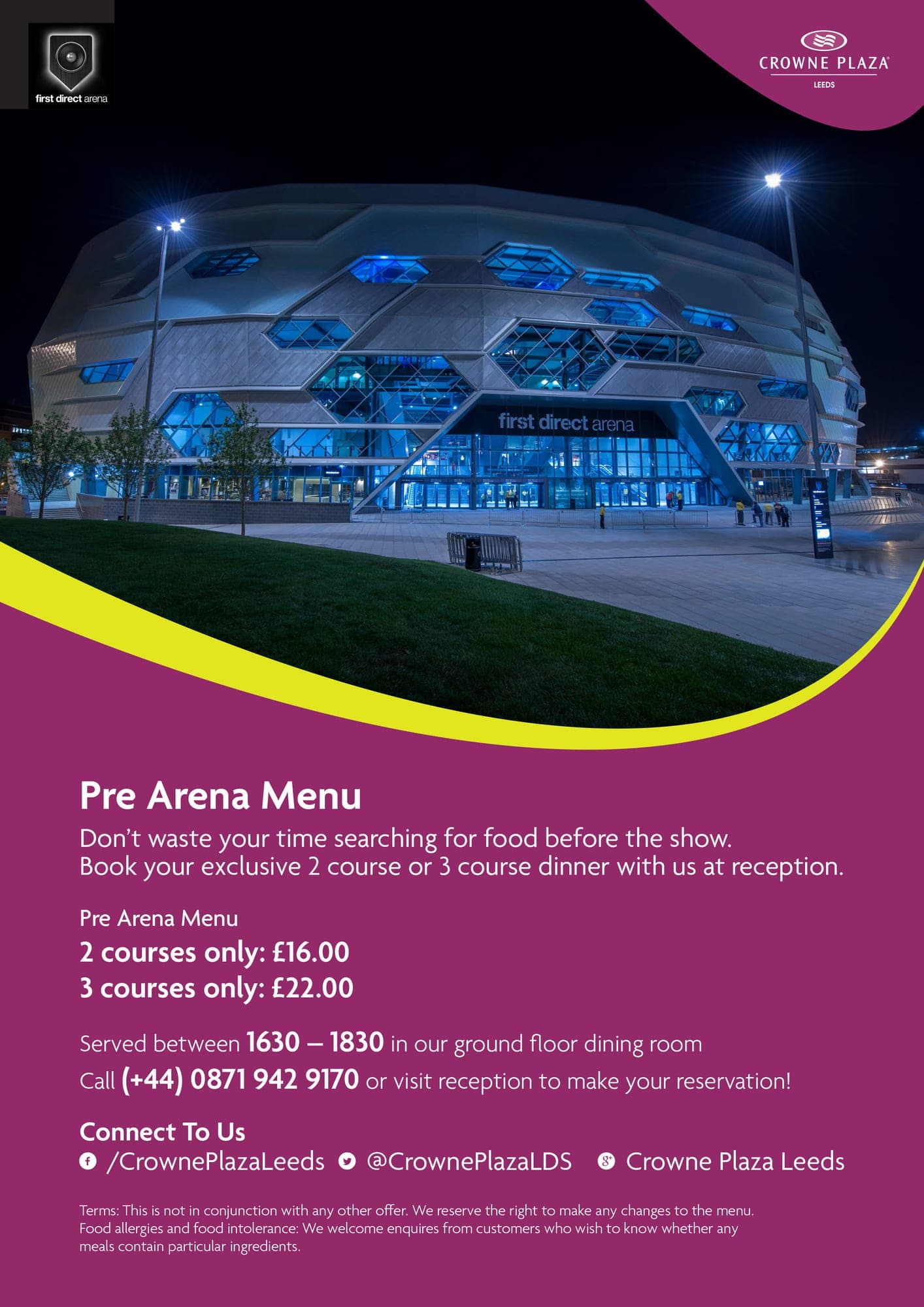
A designer is worth it when the poster has to sell something, sit alongside a brand, or be printed large where mistakes are expensive. I have designed event and promotional posters for venues and brands including Crowne Plaza, DoubleTree by Hilton, Hilton, Powerade, Maker’s Mark and The Glenrothes, from pre-event hospitality to competitions and themed nights. Poster design starts from £125, simple posters can often be turned around in 24–72 hours, and I can design and print it for you through my print shop with UK delivery included.
Frequently asked questions
- What makes a good poster?
- One clear message, a headline people can read from where they will be standing, one strong image, and the essential details (what, when, where and how to book) grouped together. If someone walking past gets the point in three seconds, it works.
- How big should the text be on a poster?
- As a rule of thumb, allow about 25mm of capital-letter height for every 3m of viewing distance. A headline read from across a 5m room needs capitals around 42mm tall, roughly 170pt. Details read up close need capitals of at least 8mm, around 34pt.
- What resolution should a poster be?
- 150dpi at the full printed size. For an A1 poster that's about 3508 × 4967 pixels; the poster sizes guide lists every size.
- Should a poster be RGB or CMYK?
- Print files should be CMYK, or your designer or printer will convert them. Very bright screen colours can't all be matched in CMYK ink and print slightly duller, so check them on a proof before you sign off.
- How big should a QR code be on a poster?
- About a tenth of the distance people will scan from, and never smaller than 2cm. That's around 3cm for someone scanning at arm's length, and 10cm if they'll be a metre away.
- Can you design my poster?
- Yes. Event and promotional poster design starts from £125, and I can design and print it through my print shop with UK delivery included.
Written by Ross Boag
Need help with design, websites or branding?
Ross Boag is a senior freelance graphic designer in Glasgow with 12+ years of agency and in-house experience, for brands including Hilton, Volvo and Jim Beam. He also designs logos and brand identities and websites, and prints the work through his online print shop, for businesses across Glasgow, Scotland and the UK.