Interaction / Navigation UX
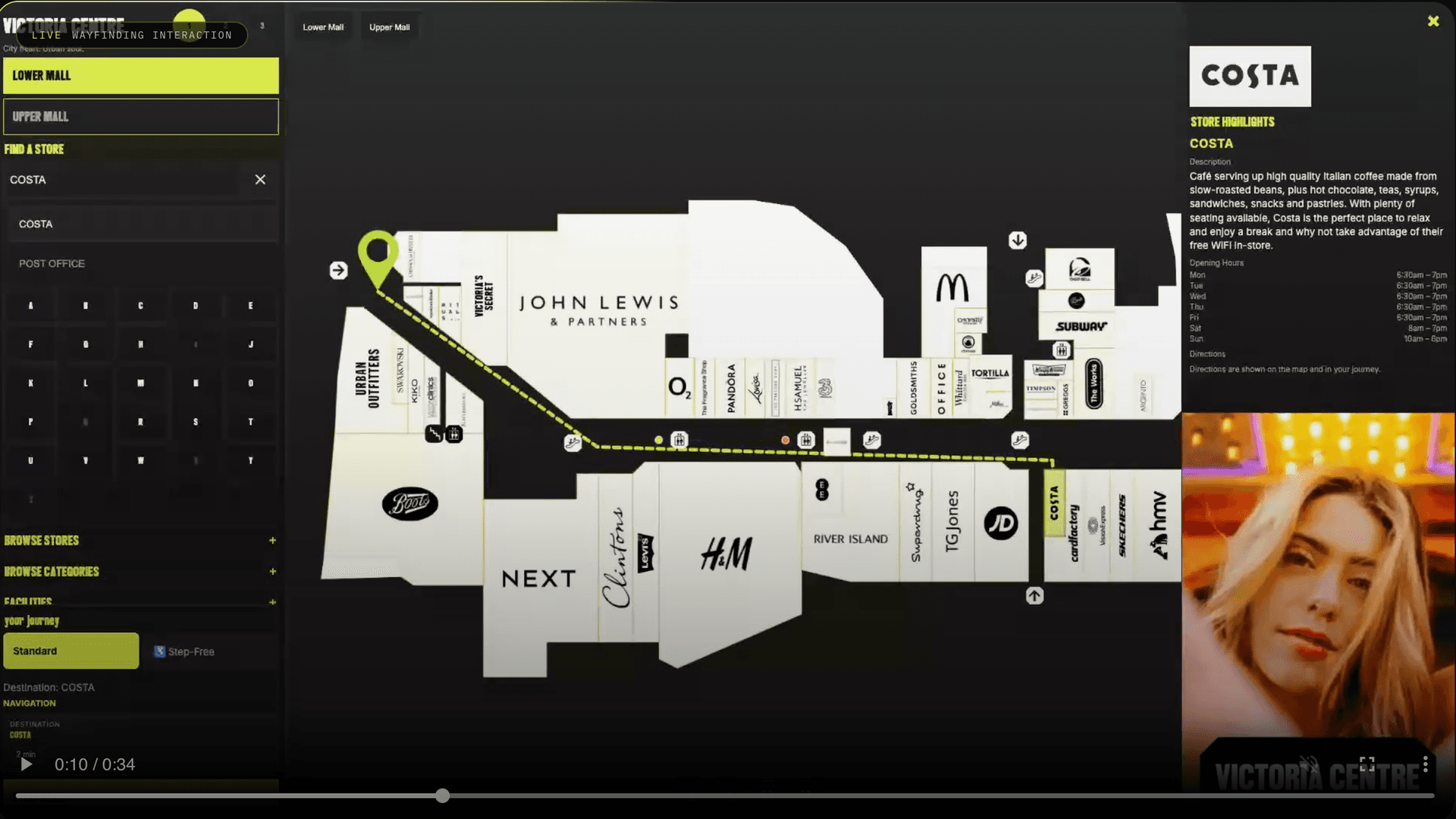
Interactive Wayfinding
Navigation-led interface design for high-footfall spaces where hesitation costs time, trust and flow.
Interactive Wayfinding In Action
Map Hierarchy
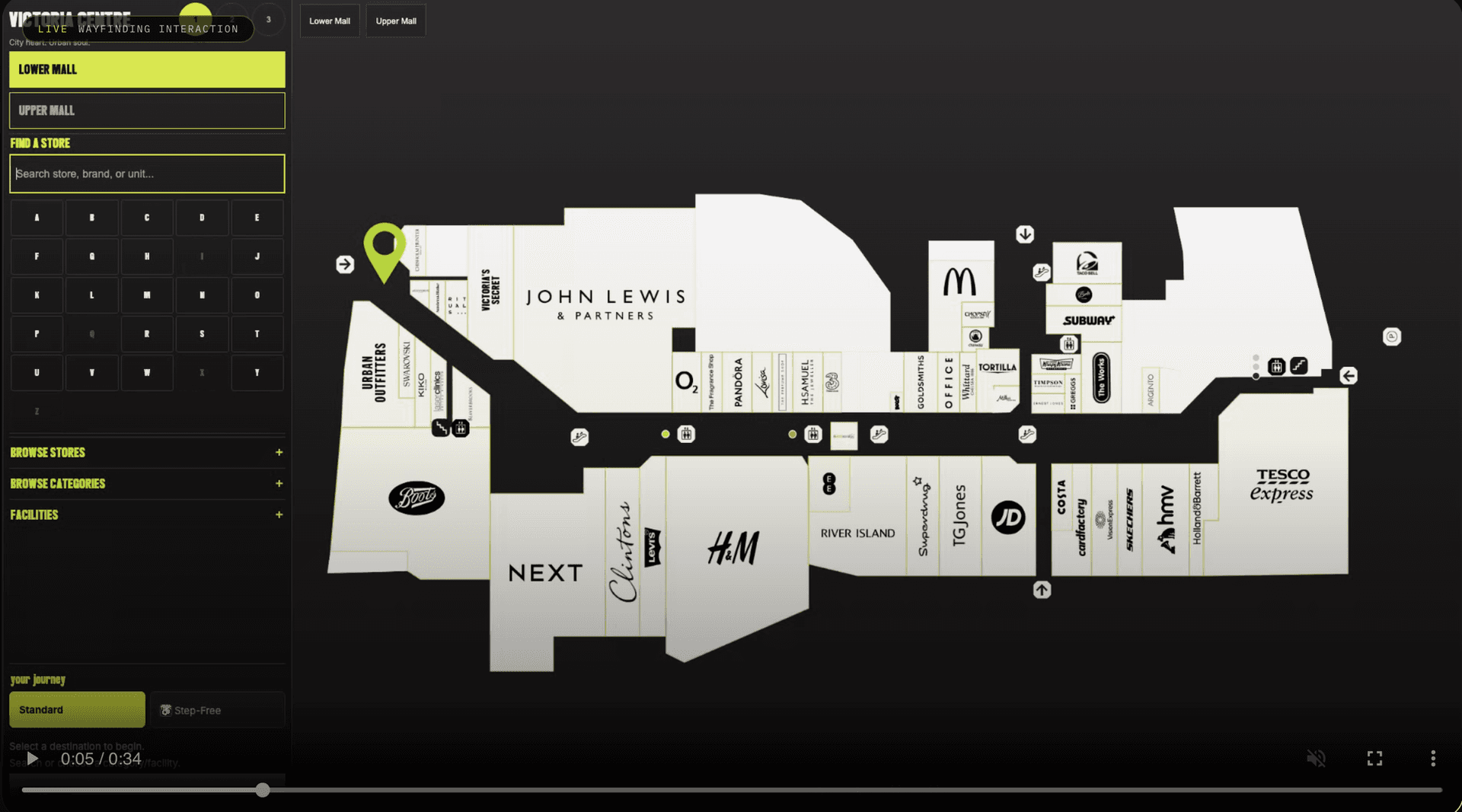
Multi-level building map with zone, floor and route visibility controls
Touch Navigation
Touch-first tap targets, directional flow and first-touch confidence
Accessibility
Designed for high-footfall public environments with clear signposting
Category Overview
Where this category gets won or lost.
A navigation-focused category combining public-environment and screen-system work across travel, retail and hospitality contexts. The mission is simple and unforgiving: remove hesitation through clearer routes, cleaner language and first-touch interactions that feel obvious in seconds.
Map-led and route-led hierarchy built for immediate directional decisions
Public interface clarity sustained under heavy footfall pressure
Touch-friendly labels, controls and navigation patterns with low friction
Adaptable logic from transport hubs to hospitality venues
Case Study
Interactive Wayfinding: the brief, my role and what was delivered.
The challenge
A shopping-centre directory is used by people who are lost, in a hurry or visiting for the first time. If the map or the search takes more than a few seconds to make sense, they walk away from the screen.
My role
Senior Graphic Designer at Add Vision (2020 to 2026).
- Led design and delivery of interactive touchscreen systems for public-facing spaces.
- Designed shopping-centre wayfinding interfaces: map hierarchy, store and facilities information, route clarity and touch-first navigation.
- Created visitor-centre interactive experiences focused on discovery and engagement.
- Defined UX structure, interaction patterns and screen behaviour for busy public spaces, with usability and accessibility in mind.
- Prototyped and tested interactive concepts directly in code.
How I approach it
- 01Put the map and the search first; everything else is secondary on the first screen.
- 02Use large touch targets and plain labels that a first-time visitor understands without reading instructions.
- 03Prototype in code early, so interactions are tested on a real screen rather than judged from static mock-ups.
Deliverables
- Touchscreen interface design
- Map and route hierarchy
- Store and facilities information architecture
- Interaction patterns
- Coded prototypes
- Accessibility checks
Relevant Brands
Brands that trusted this category in real commercial conditions.